
Visual timetable
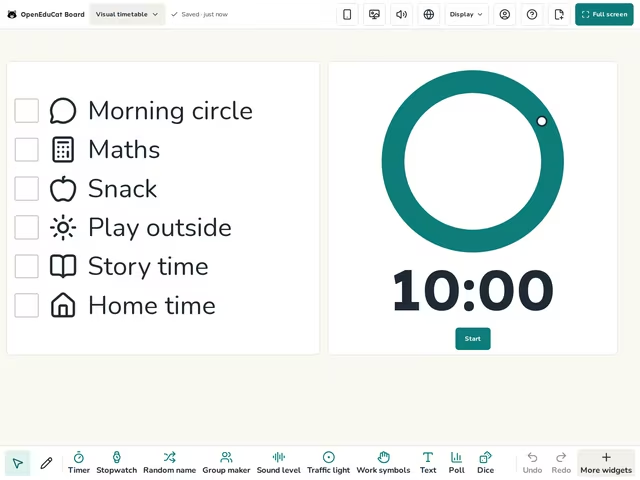
The day as a checklist with a picture on each row, and a visual timer for the part going on now.
Part of: Special education
- Daily screens
- Daily
- Low prep
- Free
Use this template
It opens on your board as a new screen in your account. If you are not signed in, you sign in first.
On the screen
- Timetable
- Visual timer
How to use it
- Change the rows and pictures to fit your day.
- Tick each row when it is done.
- Set the visual timer for the part going on now.
Tip
Go through the day with the class in the morning, and point to the next row before each change.
About this template
- Level
- Pre-K and Primary
- Category
- Daily screens
- Screens
- 1 screen
By OpenEduCat · Published November 19, 2026