
First and then
A first and then board: two pictures with their words side by side, and a visual timer for the first job.
Part of: Special education
- Classroom management
- No prep
- Free
Use this template
It opens on your board as a new screen in your account. If you are not signed in, you sign in first.
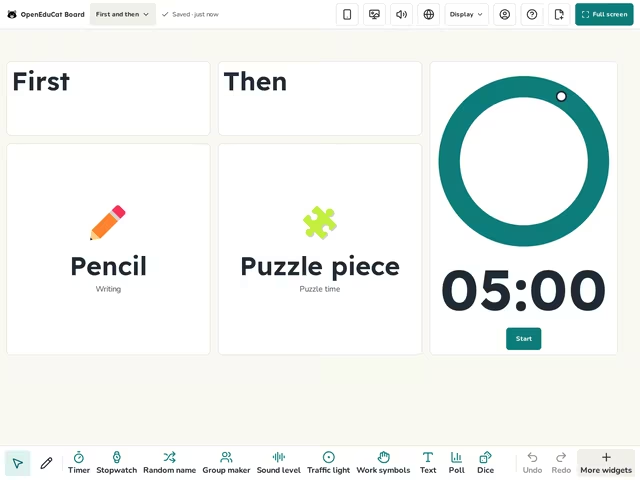
On the screen
- Text
- Work symbols
- Visual timer
How to use it
- Change each picture and its words in the Work symbols settings.
- Set the visual timer to the time for the first job.
- Start the timer, and point to each picture as you say first and then.
Tip
Keep the words short and use the same pictures each time. You can use a photo of your own as the symbol.
About this template
- Level
- Pre-K and Primary
- Category
- Classroom management
- Screens
- 1 screen
By OpenEduCat · Published November 19, 2026