
Think, pair, share
A question with the three steps, a one-minute timer to think, the class in pairs and a name picker for the share.
Part of: Active learning
- Classroom management
- Low prep
- Free
Use this template
It opens on your board as a new screen in your account. If you are not signed in, you sign in first.
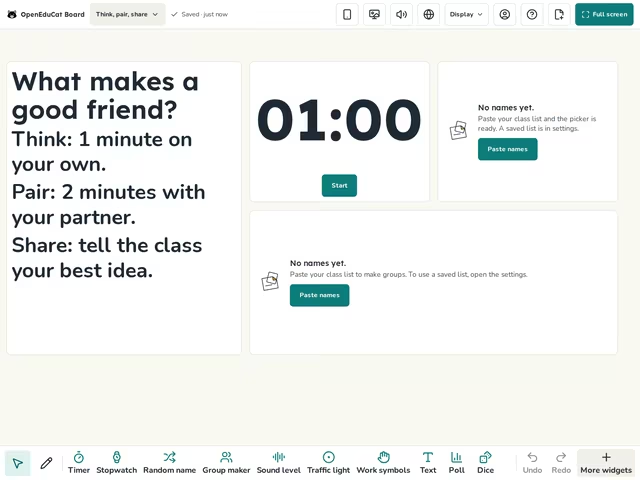
On the screen
- Text
- Timer
- Random name
- Group maker
How to use it
- Write your question at the top.
- Make pairs in Group maker, then start the timer for the think time.
- When pairs have talked, pick names to share with the class.
Tip
Pick names at random, so every pair gets ready to share and not only the hands that go up.
About this template
- Level
- Primary, Middle school, and High school
- Category
- Classroom management
- Screens
- 1 screen
By OpenEduCat · Published November 19, 2026