MCQ generator
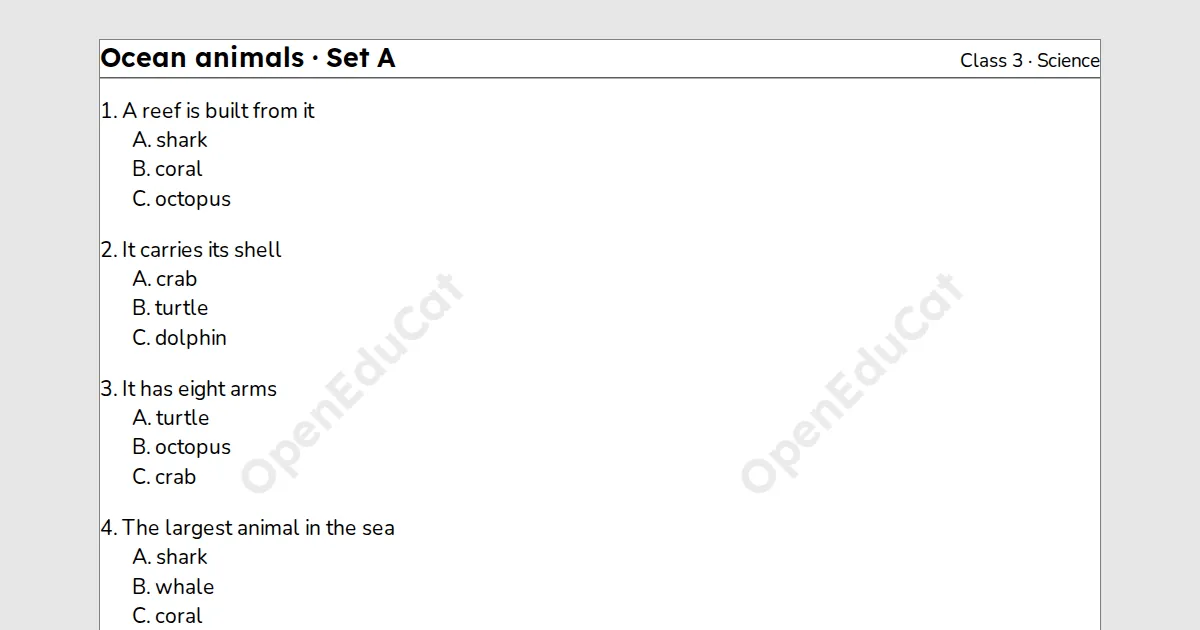
An MCQ generator for teachers: type your multiple choice questions, mark the right option and print up to four shuffled sets with an answer key. It needs a free teacher account.
A test maker for teachers. Type your multiple choice questions, mark the right option and print up to four sets, with the questions and options shuffled and a key that follows. Free with a teacher account.
Key facts
- Questions
- Up to 60, each with 2 to 6 options
- Paper
- A4 or Letter
- Print and PDF
- Made on this device; on Free a light watermark and the footer line
- Languages
- 8 languages, including Hindi and Arabic
- Price
- Free
- Account
- A free teacher account; students never sign in
- No student accounts.
- No ads.
- Data-processing agreement on request.
How to make shuffled MCQ sets
- Type a question, then each option on its own line. Put a * before the right option and a blank line before the next question.
- Choose how many sets. Each set shuffles the questions and the options, and the key follows.
- Print or download: each set, then the answer key on the last page.
Questions teachers ask
Can AI write the questions?
Not on this page. You type them, or use Copy a prompt to get them from any AI chat, paste them into Questions and options and check them.
Does “All of the above” stay last?
No. Every option moves, so write options that do not depend on their place. Avoid “All of the above” and “Both A and B”.
Does each set have its own key?
Yes. The answer key is a table with a column for each set, on the last page.
Are my questions saved?
They stay on this device until you sign out. Print or download the sets to keep them.
Related tools
Counted per page. Report a problem for bugs.