Chore chart maker
A chore chart maker for classroom jobs: type your students' names or fill them from My Class, type the jobs, and print the chart. It needs a free teacher account.
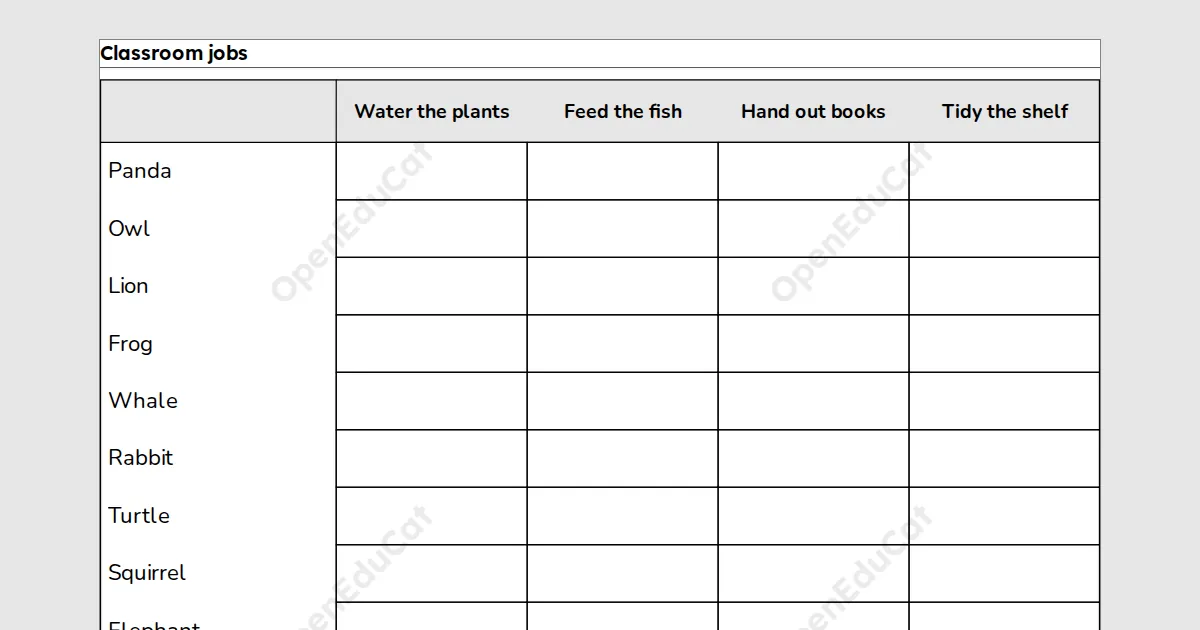
A printable for teachers. Type your students' names or fill them from My Class, type the classroom jobs, and print a landscape chore chart with a box or a star for each task. Free with a teacher account: sign in once on each device to build, save and print.
Key facts
- Names
- Up to 60, 20 on a page
- Print and PDF
- Made on this device; on Free a light watermark and the footer line; Add to book puts sheets in one PDF
- Languages
- 8 languages, including Hindi and Arabic
- Price
- Free
- Account
- A free teacher account; students never sign in
- No student accounts.
- No ads.
- Data-processing agreement on request.
How to make a chore chart
- Type one name a line, or pick a class under From My Class.
- Type the tasks, one a line, then pick empty boxes or stars.
- Press Build chart, then print it or download the PDF.
Questions teachers ask
What makes a good task?
Short tasks fit best, such as Water the plants or Hand out paper. A long task is set smaller, and cut short with a sign if it still does not fit its column.
Can I use the names from My Class?
Yes. Pick a class under From My Class and its names fill the list. Only the names are read, and you can change the list before you build the chart.
Can the chart be in colour?
Choose Two-colour for a marigold band behind the tasks. Ink only prints black on white, which suits any printer.
Related tools
Counted per page. Report a problem for bugs.